
Windows 10 support ended! Has your business upgraded?
Sales Inquiries: (508) 321-5425
Client Support: (508) 324-9475
New England IT Support Company
For Businesses That Have Outgrown “Good Enough.”
Our services are built for serious organizations that demand experienced engineers, consistent service, and real technical depth.
the northeast region’S MOST ELITE ENGINEERS

Kim Mello
Accounting Clerk

Michelle Branco
VP of Operations

Chris Martin
VP of Sales & Marketing
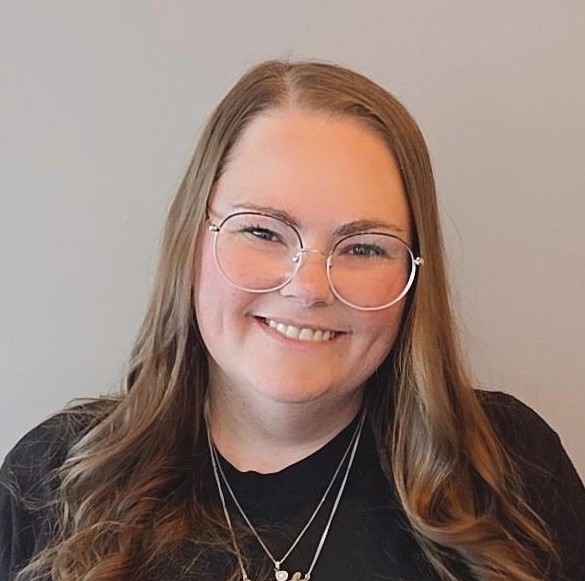
Amanda Nolette
Client Service Coordinator
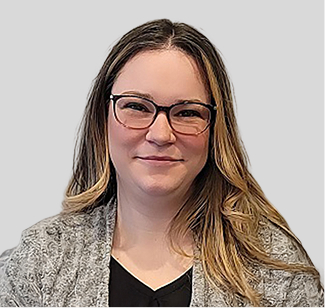
Amber Menard
Client Service Manager
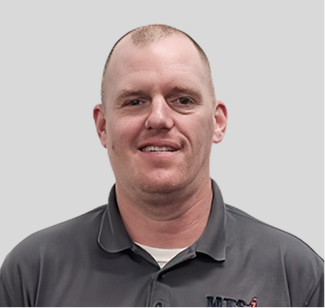
Brian Dias
Senior Engineer

Zach Judd
Support Analyst

Steven Allain
Support Analyst
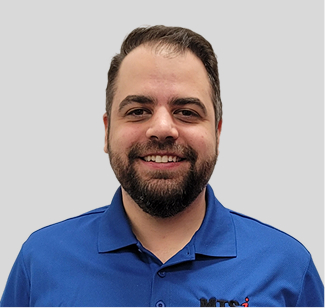
Josh Branco
CIO / Senior Engineer

Jesse Cabral
President, CEO

Dan Lepage
Support Analyst

Kaitlyn Cabral
Client Service Coordinator
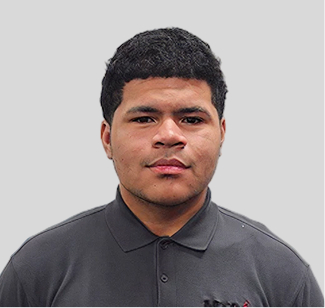
Aiden Larossa
Support Analyst

Joshua Pochon
Account Manager

Sadie Galary
Client Service Coordinator

Aaron Blair
Solutions Engineer

Doug Hetu
Solutions Engineer

Justin Tarnowski
Support Analyst

Donna Prevett
Account Manager

Stephen Tomascik
Solutions Engineer
Why Businesses Choose to Work with Us
Proven Technical Skill
Our engineers solve issues competitors cannot and deliver lasting, high-value outcomes.
Enterprise Certifications
We hold advanced credentials rarely offered by staff at regional IT services companies.
Serious Client Focus
We provide structured onboarding, fast response, and clear communication at every step.
No Junior Tech Roulette
You always work with experienced professionals who know your environment and systems.











Frustrated By IT Services Staffed With Undertrained Technicians?
You need a capable, consistent team—not a rotating cast of junior techs.

Jesse Cabral
CEO, Micro Technology Solutions, Inc.
Every technician at MTSi is carefully vetted, thoroughly trained, and supported to perform at the highest technical level possible.
Why gamble with low standards?
At MTSi, our hiring process is deliberately difficult. We are known throughout the South Coast as one of the hardest IT services firms to get into. Our team is made up of experienced engineers with elite certifications, proven technical depth, and professional integrity. We train continuously and operate with pride in our work.
Work with an IT services team known for its intelligence, professionalism, and elite performance. Call (508) 321-5425 to harness IT solutions and IT experts capable of supporting your growing organization.
Schedule an Appointment Today
Our Services
Managed IT Services
Gain stability, uptime, and clarity with IT services built for complex, growing environments.
IT Outsourcing
Cut costs and free up resources with fully managed, enterprise-grade IT services and support.
Cloud Solutions
Virtualization services from certified Microsoft and VMware experts for cloud transitions.
Security & Compliance
Protect systems and data with IT services that meet today's evolving cybersecurity and regulatory demands.
Wi-Fi Network Surveys
Fix signal gaps and poor performance using certified wireless engineering and Ekahau precision tools.
Unified Communications
Streamline communication across voice, video, and devices with expert Cisco-certified UC design and support.
Network Integration
Build a better infrastructure with IT services that integrate systems securely and effectively for long-term performance and scalability.
Microsoft Solutions
Extend your capabilities with Microsoft 365 and Azure solutions expertly configured by certified professionals today.
Empowering Businesses Through IT Excellence
Discover how Micro Technology Solutions Inc. has transformed businesses by providing exceptional IT services. Hear firsthand from our clients about the challenges they faced and the solutions we delivered.
Reliable IT partnership supporting essential housing operations.
Secure systems powering vital healthcare services.
Trusted IT support empowering important community programs.
What Clients Say About Us
Peace of Mind at an Affordable Flat Monthly Fee
I'd like to share how much I appreciate MTSI's quick responses and ability to solve my IT issues when they respond. The staff is always friendly and knowledgeable. I am so glad we use an IT company with such high standards.

ROBYN SHWEDO
Massachusetts
A Trustworthy, Transparent Partner
I am truly impressed by the quick response time from MTSI. Most of the technicians are highly knowledgeable, professional, patient, and pleasant. I have poor eyesight, and I appreciate that they're always willing to seek the best way to accommodate my visual challenges.

LISA RAHN
Massachusetts
One of the Best Companies Around
I have been a customer for well over 10 years. Micro Tech always responds quickly. The support staff is knowledgeable and courteous. I highly recommend them for their expertise and professionalism.

CATHERINE TVEIT
Massachusetts
Expert Insight From A Team That Solves Real IT Challenges Every Day
Explore how our engineers help serious organizations navigate complex infrastructure needs, eliminate recurring issues, and upgrade their IT services experience.

Essential Tools for IT Support Teams to Secure Remote Workers
Employees today demand to work remotely, and this creates a challenge for IT support teams, who must provide the tools that make remote work possible while keeping the firm’s data secure. Remote worke... ...more
IT Services ,Cybersecurity &Internet
June 04, 2025•3 min read
Microsoft Copilot, Your New Assistant
With all the AI products being hyped by so many vendors, it is hard to understand the value they can provide your business and whether they are worth the investment. Microsoft Copilot offers a free ve... ...more
Microsoft ,Internet
June 04, 2025•3 min read

How to Survive an Email Bombing Attack
Recently we helped an organization who was under attack by an email bombing campaign. Imagine receiving 5,000 email messages an hour. There are so many messages ...more
Microsoft ,Internet
June 04, 2025•4 min read
Subscribe Our Newsletter
Frequently Asked Questions
Is switching MSPs difficult? Will it impact my team?
No. We have developed and refined an onboarding process to minimize disruption for your team. We recommend an overlap period with your current provider (based on the size of your organization), so we can receive documentation and access to your systems and transition your devices to our cybersecurity tools. Your users may notice new software agents installed on their computers and will have new numbers to contact for support. Otherwise, there should be minimal disruption.
How quickly can I get started?
Staff can depart quickly and leave you in a bind. We can help. The first step is to schedule a fifteen-minute call with us to determine if our service is a fit. Next, we proceed to discovery, which could be a call or an on-site network assessment. Once this is done, we will meet to discuss our findings and to make recommendations for any system or security upgrades. We will also discuss ongoing managed services and a timetable for moving forward.
Will my current MSP be upset when I tell them I’m switching?
No one likes to lose a customer, but established firms understand this is part of working with any client. They have procedures in place to make the transition from one provider to another go smoothly. If you are concerned that your current provider won’t act professionally, that is a good reason to look for a new provider.
Do you charge more for on-site support?
Our rates are the same for on-site and remote support. We charge remote support in 15-minute increments, so remote support is ideal for simple issues. We do charge travel for on-site support, but many clients prefer scheduled visitation. Some technical issues require an on-site visit.
Do you outsource your helpdesk overseas?
MTSi has been based in Massachusetts since 1998 and our support team is located in our Fairhaven office. When you speak to someone at MTSi, they are in our Fairhaven office or working remotely from home (always in the United States).
How much does the service cost?
Compared to other professional IT companies, our pricing is very competitive. We custom tailor our pricing to each customer, so we need to get to know you and your firm before giving you a price. The first step is to schedule an introductory call with us.
What happens if my network goes down in the middle of the night?
That is completely up to you. We will work with you during implementation to understand which systems need attention off hours (if any), who needs to be notified, how we can get building access, etc. We will document this protocol and follow it for any event that occurs outside normal working hours.
I don’t have a CIO (or anyone in IT). Can you help with IT planning?
Yes. We provide an IT Roadmap for our customers and help them manage their systems lifecycle. Having End-of-Life systems is a significant cybersecurity risk, so when a manufacturer announces an End-of-Life date for a product our customers use, we meet with them well in advance of the End-of-Life date to discuss alternatives and upgrades. This helps our customers budget well in advance for upcoming projects and avoid surprise expenses that can break the budget.
Get Expert IT Services in New England with MTSi – Your Trusted Partner
At MTSi, we specialize in delivering top-tier IT Services in New England that help businesses streamline operations, enhance security, and scale efficiently. With our proven expertise, we guide businesses through every stage of the technology journey—from initial planning and deployment to ongoing management and optimization. Our team works closely with you to tailor solutions that align perfectly with your unique business goals, ensuring long-term success and minimal disruption. With a focus on security, reliability, and cost-effectiveness, MTSi is your trusted partner for seamless IT services. Connect with us today to explore how we can help you harness the power of expert IT to drive growth and innovation in your business.
Call (508) 321-5425 today or click the button below to schedule your appointment. Let's take IT off your mind for good.